JPG vs PNG vs WebP: Which Image Format Should You Use?
October 7, 2026
Choosing the wrong image format makes your website slow or your pictures look bad. JPG, PNG, and WebP each have a job they do best. Here is the simple breakdown so you always pick the right one.
What Is JPG?
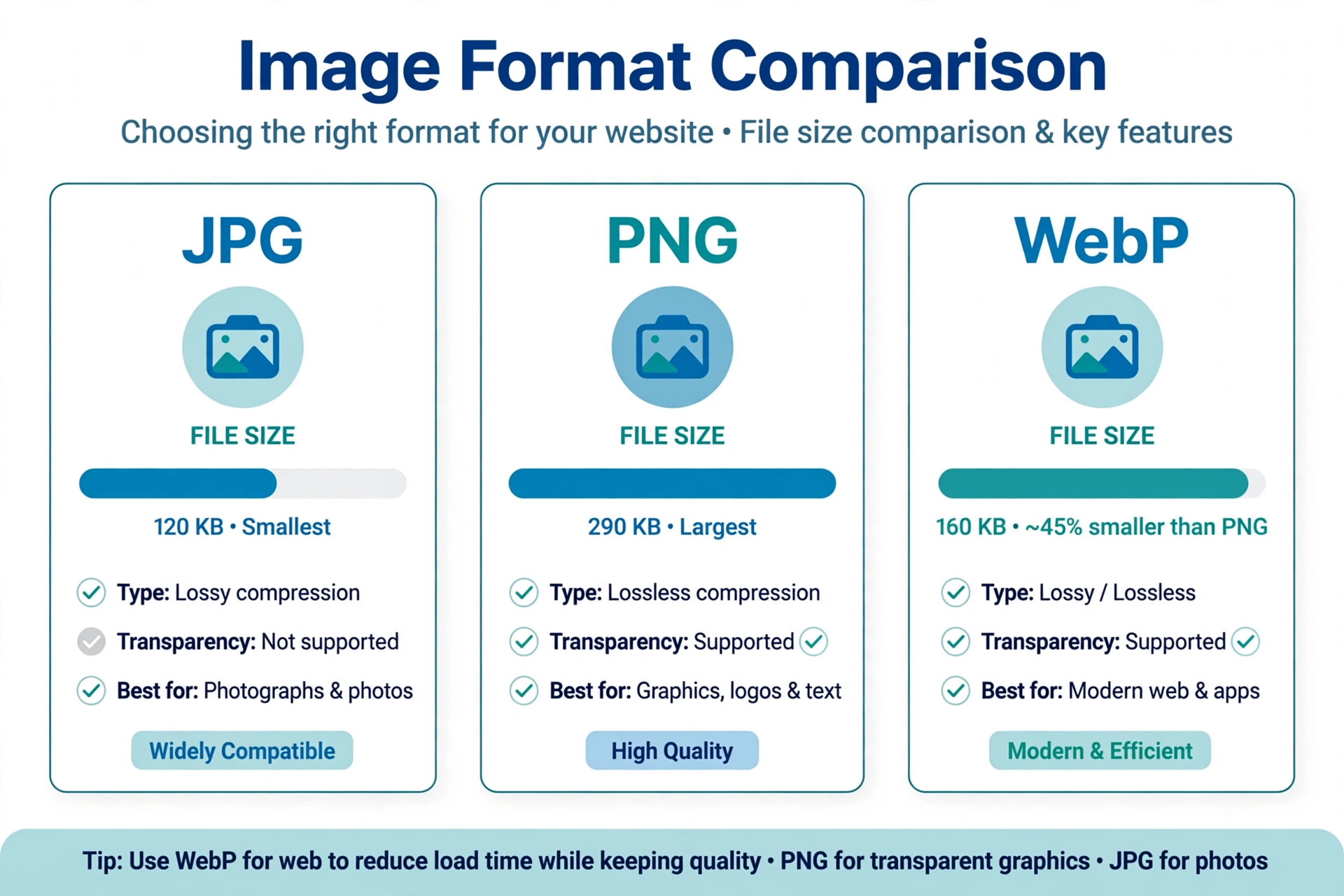
JPG (or JPEG) is the classic format for photographs. It squeezes photos into small files by throwing away tiny details your eyes barely notice. Best for: photos, camera pictures, complex images with lots of colors. Weakness: no transparency, and every re-save loses a little quality.
What Is PNG?
PNG keeps every pixel perfect — no quality loss at all — and supports transparent backgrounds. The price: bigger files than JPG. Best for: logos, icons, screenshots, graphics with text, anything needing transparency.
What Is WebP?
WebP is Google’s modern format that gives you the best of both: 25–35% smaller than PNG or JPG at the same visible quality, with transparency support. It works in all modern browsers and phones today. Best for: website images where speed matters.
Quick Comparison
- JPG — small files, photos, no transparency, loses quality on re-save.
- PNG — perfect quality, transparency, bigger files, great for logos/graphics.
- WebP — smallest files, good quality, transparency, best for the web.
When to Use Which
- Uploading photos to your site? Use WebP (or JPG if you must).
- Logo with transparent background? Use PNG (or WebP).
- Emailing pictures or saving phone storage? JPG is fine.
- Want the fastest website? Convert everything to WebP.
How to Convert Between Them (Free)
You don’t need any software — do it right in your browser:
- Convert JPG to PNG with our Free JPG to PNG Converter
- Convert PNG to WebP with our Free PNG to WebP Converter
- Shrink any image first with our Free Online Image Compressor
- See all tools on our Free Tools page
FAQ
Does converting JPG to PNG improve quality? It preserves what is there and adds transparency support, but it cannot bring back detail the JPG already lost.
Is WebP really better than JPG? For the web, yes — noticeably smaller files at the same quality, and every modern browser opens it.
Which format is best for a logo? PNG if you need transparency everywhere, otherwise WebP for smaller size.