
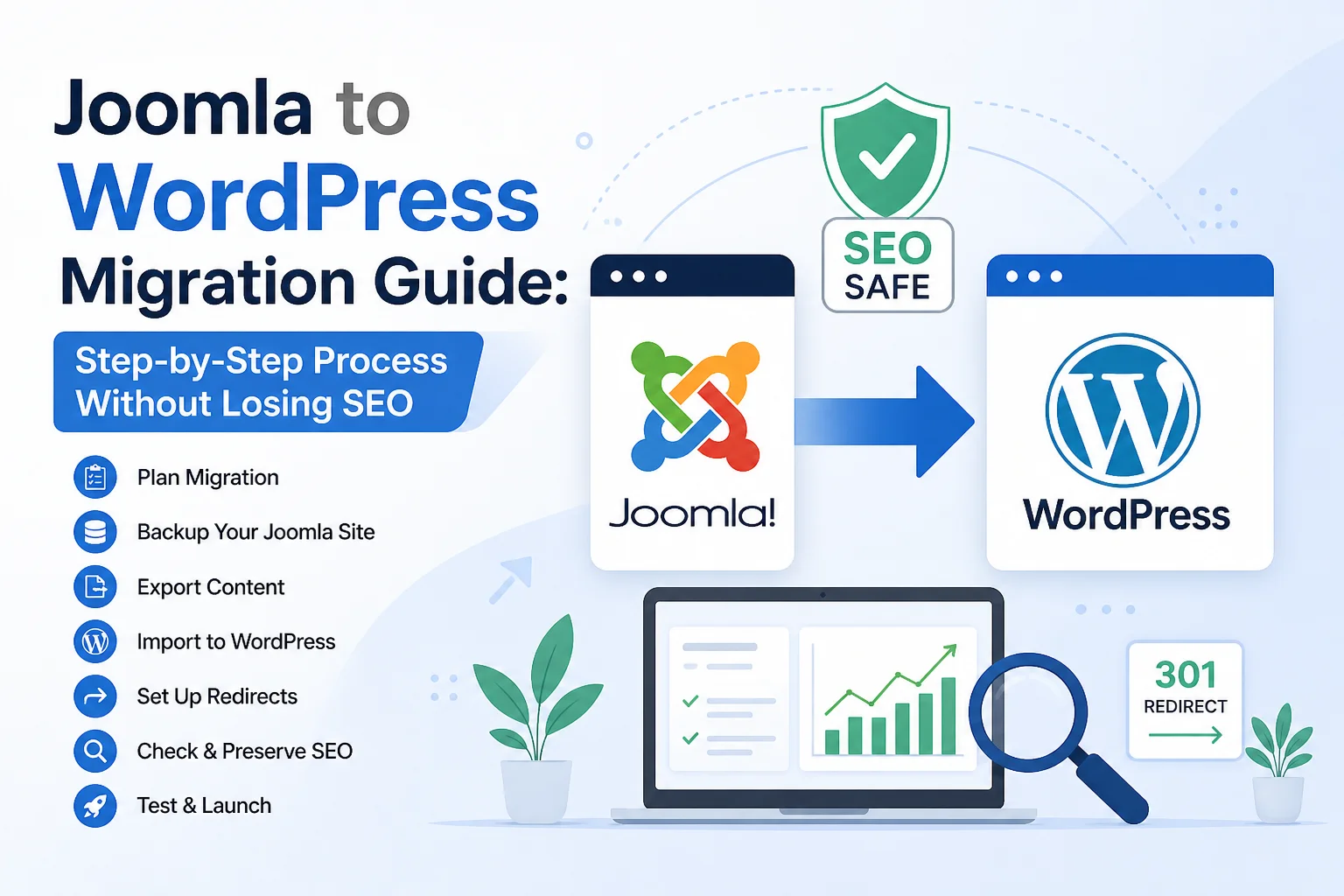
Moving a website from Joomla to WordPress is not just a technical switch—it’s a decision that affects your content, your traffic, and how easily you manage your site in the future. If you’ve ever felt stuck with Joomla’s complexity or limited flexibility, you’re not alone. Many website owners reach a point where WordPress simply makes more sense.
But here’s the real concern: how do you move everything without breaking your SEO or losing your content?
This guide walks you through the entire process in a clear, practical way so you can migrate confidently without unnecessary risk. If you’re new to WordPress, our beginner’s tech help guide is a great place to start.
Understanding why this migration matters
Before touching anything technical, it helps to understand what you’re actually doing.
Joomla and WordPress are both content management systems, but they work very differently. Joomla is powerful but often more complex. WordPress is simpler, more flexible, and supported by a much larger ecosystem of themes, plugins, and developers.
Most people migrate because they want:
- Easier website management
- Better SEO control
- More design flexibility
- Access to a wider plugin ecosystem
- Faster content publishing workflow
If your current Joomla site feels restrictive, moving to WordPress can feel like unlocking a new level of control.
Preparing your Joomla site before migration
Good migration starts before you move anything.
First, take a full backup of your Joomla website. This includes:
- Database backup
- Media files (images, videos, documents)
- Templates and extensions
This step is your safety net. If anything goes wrong, you can always restore the original site.
Next, clean up your Joomla content. Remove:
- Old or outdated articles
- Broken links
- Unused categories
- Duplicate content
This makes the migration smoother and prevents unnecessary clutter in your new WordPress setup.
Setting up WordPress the right way
Before importing anything, install WordPress on your hosting environment.
Most hosting providers offer one-click installation, which makes this step easy.
Once installed, focus on:
- Choosing a lightweight, SEO-friendly theme
- Installing essential plugins (SEO, security, backup)
- Setting permalink structure to match SEO-friendly URLs
A simple and clean setup at this stage prevents future problems. Once your site is ready, explore the free online tools for your new WordPress site to compress images, generate QR codes, and more.
Moving your content from Joomla to WordPress
This is the core of the migration.
There are three common ways to move content:
1. Using migration tools or plugins
Some tools can automatically transfer Joomla content to WordPress. They handle posts, categories, and sometimes images.
2. Manual migration
For smaller websites, you can copy and paste content manually. This is slower but gives full control.
3. Database migration (advanced)
This method is more technical and usually handled by developers. It involves mapping Joomla database structure to WordPress format.
For most users, a tool-based migration is the safest balance between speed and accuracy.
Handling images and media files
One common issue during migration is missing or broken images.
To avoid this:
- Download all Joomla media files
- Upload them into WordPress Media Library
- Check image paths after migration
If images don’t appear correctly, it’s usually due to incorrect file paths or missing uploads.
Preserving your SEO rankings
This is where many migrations go wrong.
If your URLs change without proper handling, you risk losing search rankings.
To prevent that:
Set up 301 redirects
Redirect old Joomla URLs to new WordPress URLs. This tells search engines your content has moved permanently.
Match permalink structure
Try to keep URLs as similar as possible. For example:
- Joomla:
/index.php/article-name - WordPress:
/article-name
Submit updated sitemap
After migration, generate a new sitemap and submit it to Google Search Console.
These steps help maintain your SEO strength during the transition.
Testing everything before going live
Never assume everything is working correctly right away.
Go through your new WordPress site carefully:
- Check all pages and posts
- Test all internal links
- Verify images load properly
- Test contact forms
- Check mobile responsiveness
It’s better to fix small issues now than lose visitors later.
Common mistakes to avoid
Many migrations fail not because of tools, but because of overlooked details.
Avoid these mistakes:
- Skipping full backups
- Ignoring SEO redirects
- Migrating without cleaning Joomla content
- Not testing the new site properly
- Changing too many things at once
A slow, careful approach always works better than rushing.
When to consider professional help
If your Joomla site is large, highly customized, or eCommerce-based, migration can get complicated.
In such cases, professional help may be worth it, especially when:
- You have thousands of pages
- Your site depends heavily on SEO traffic
- You use custom Joomla extensions
A small investment in expert help can prevent major traffic loss.
Final thoughts
Migrating from Joomla to WordPress is not just a technical upgrade—it’s a shift toward simplicity and long-term flexibility. The key is not rushing the process.
When done carefully, with proper backups, clean content handling, and strong SEO protection, the transition can be smooth and even improve your website’s performance.
Think of it as rebuilding your site on a stronger foundation, not just moving content from one platform to another. For more practical guides like this one, visit DurosTechX.
Pingback: Understanding iTechArt Group: A Leader in Custom Software Development - DurosTechX
Pingback: Capital of Techs Pflugerville SEO: What Actually Matters for Local Growth - DurosTechX